Tillo Retail, screen by screen
آپ کی دکان کے لیے بلنگ، اسٹاک اور کھاتہEvery screen, every feature, the price and what your computer needs. Or skip ahead and try it: the first 3 months are free.
Free for 3 months, then Rs 10,000 once for the whole shop. No monthly fees.
Latest version for Windows 10 and 11.
 3 monthsfree
Every screen
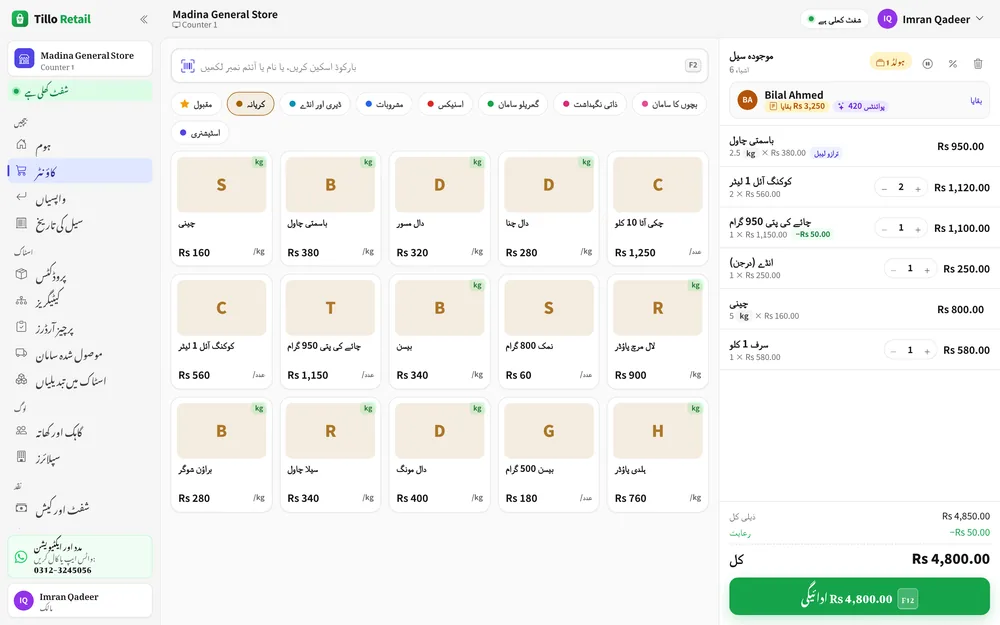
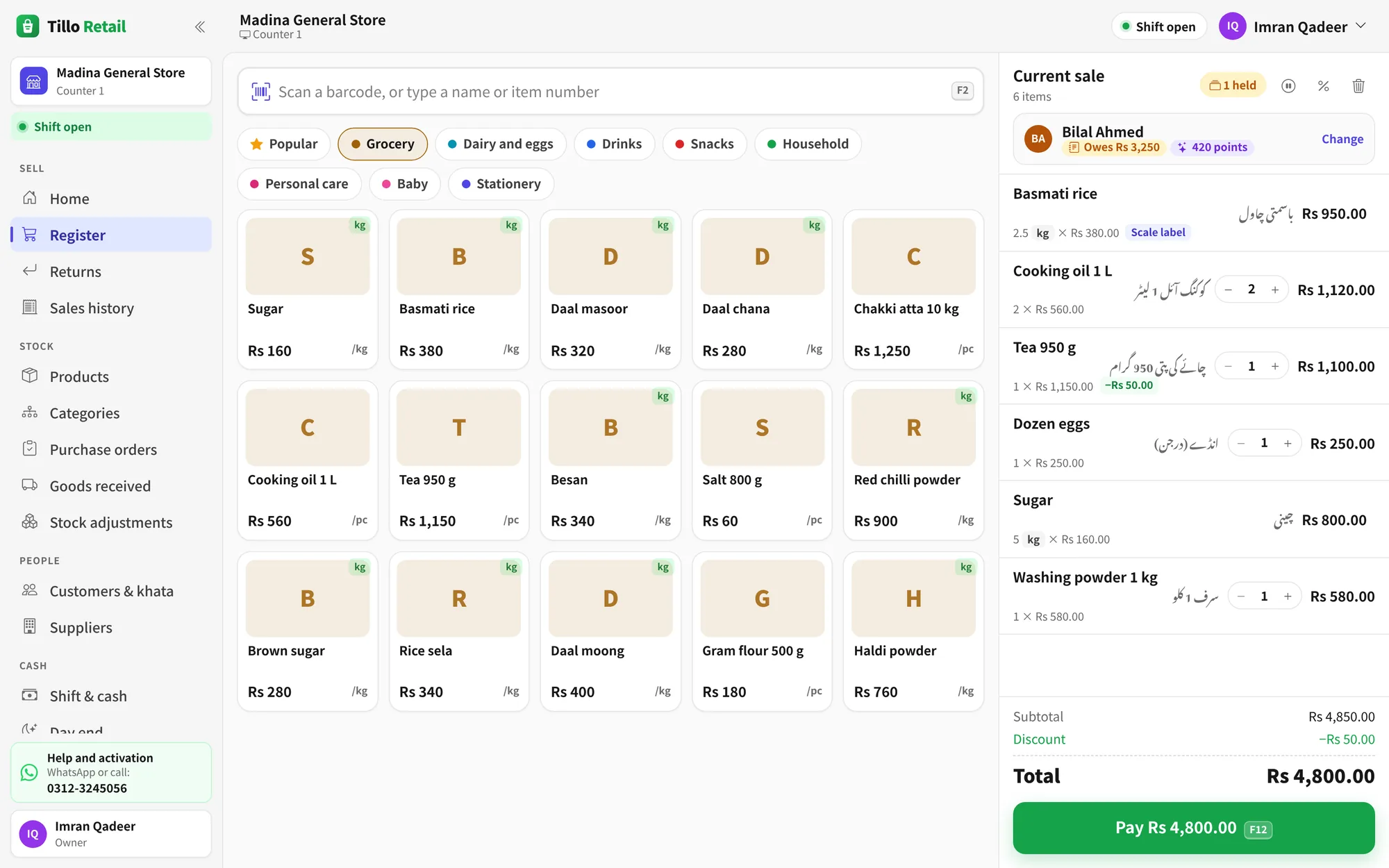
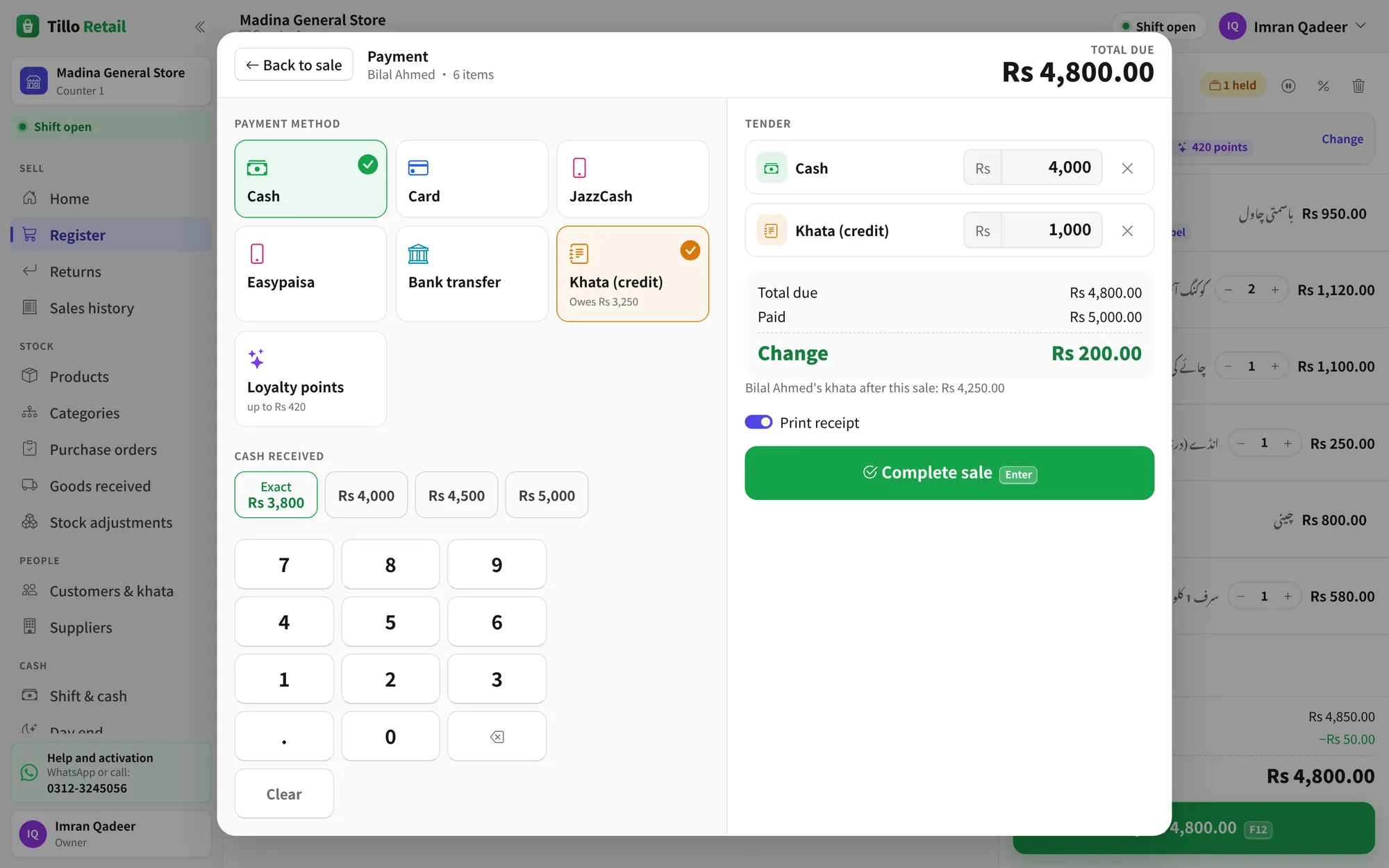
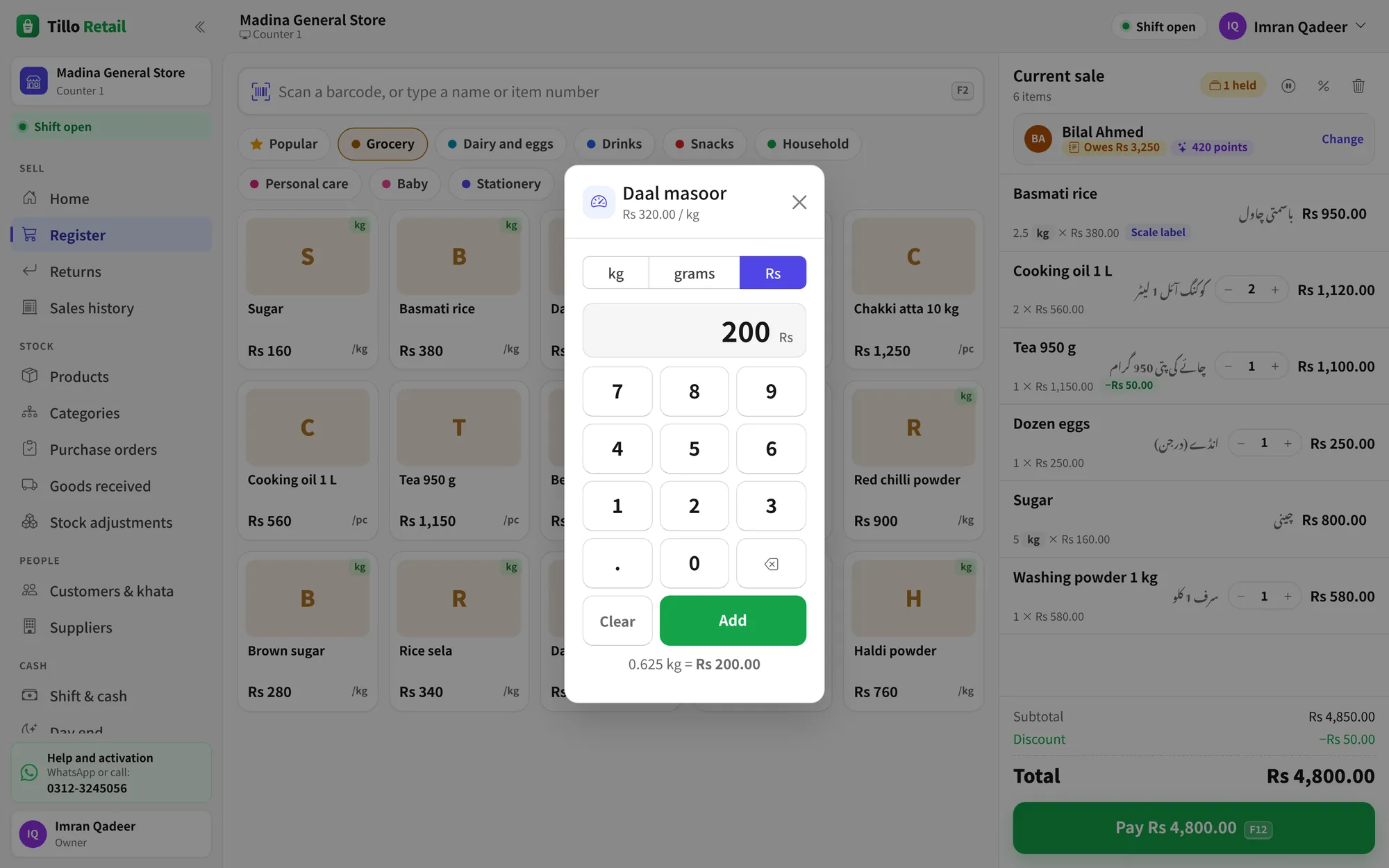
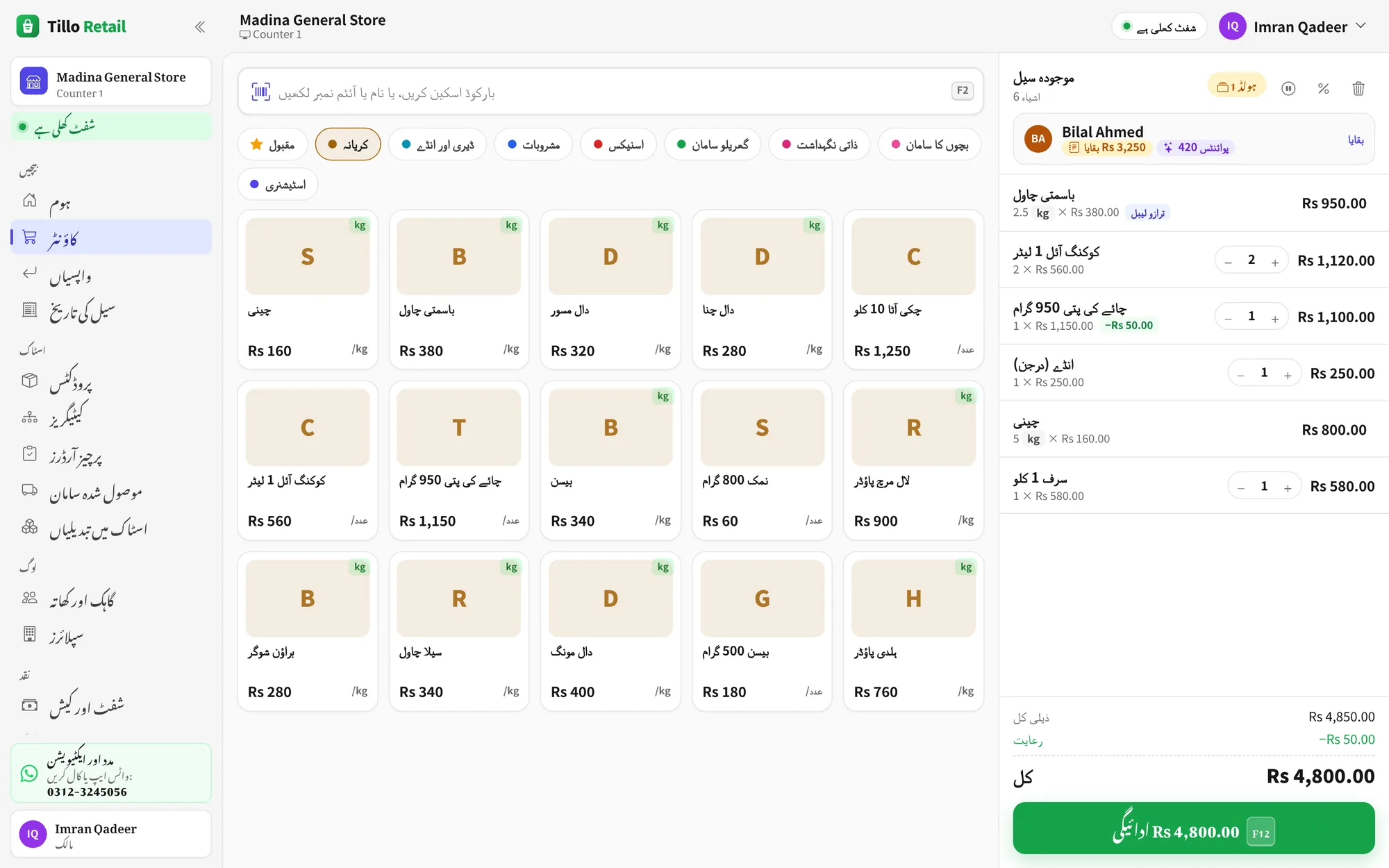
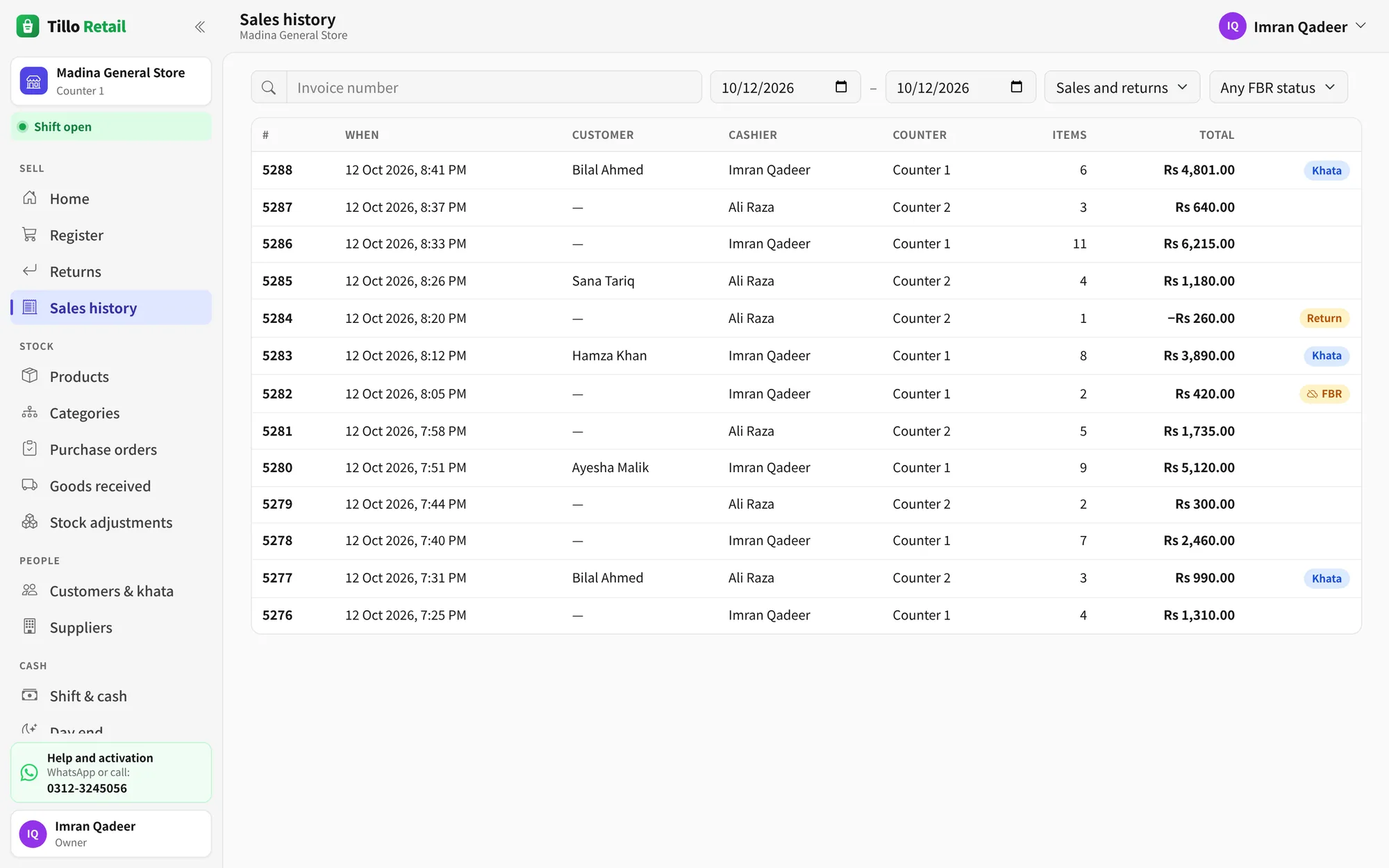
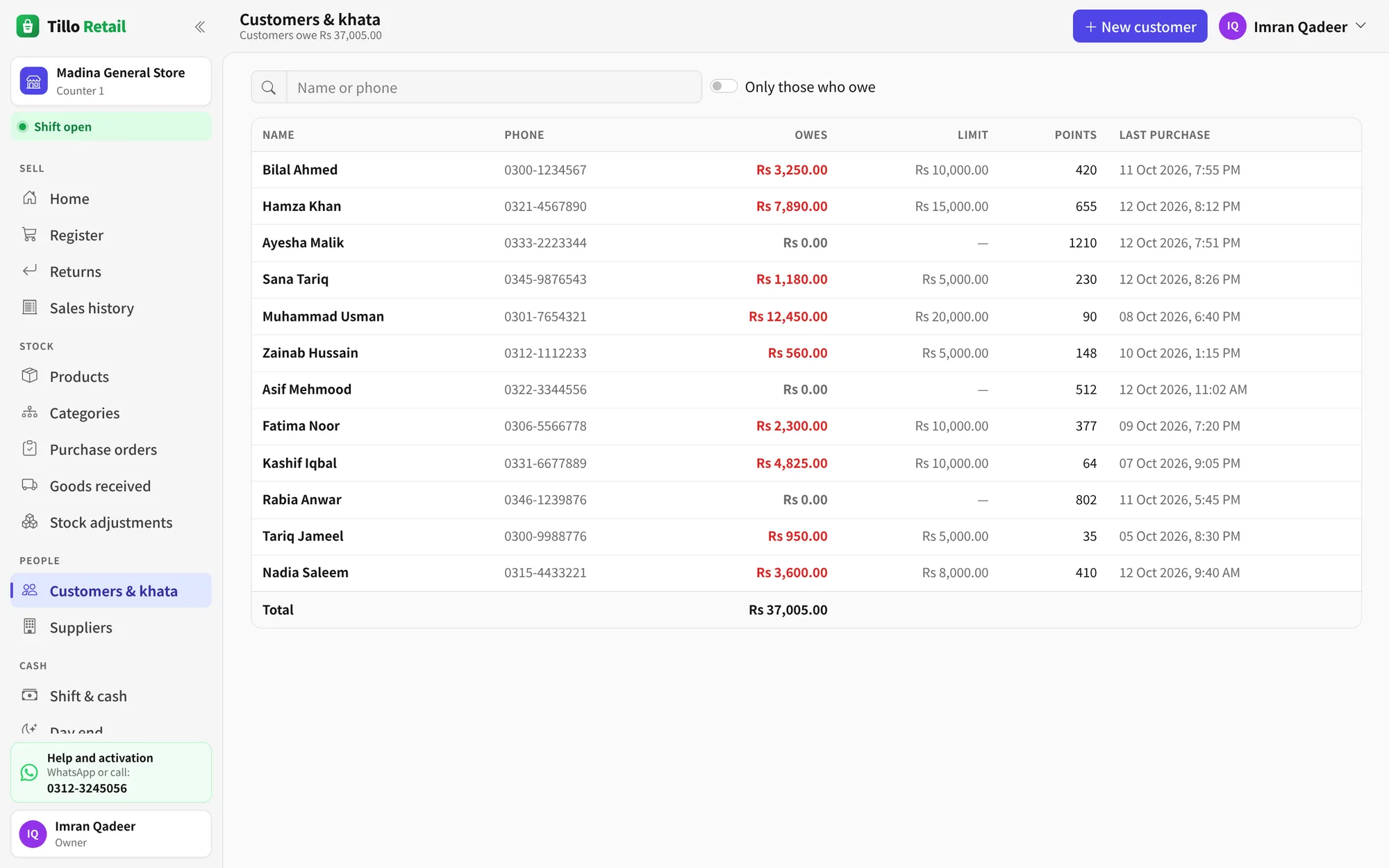
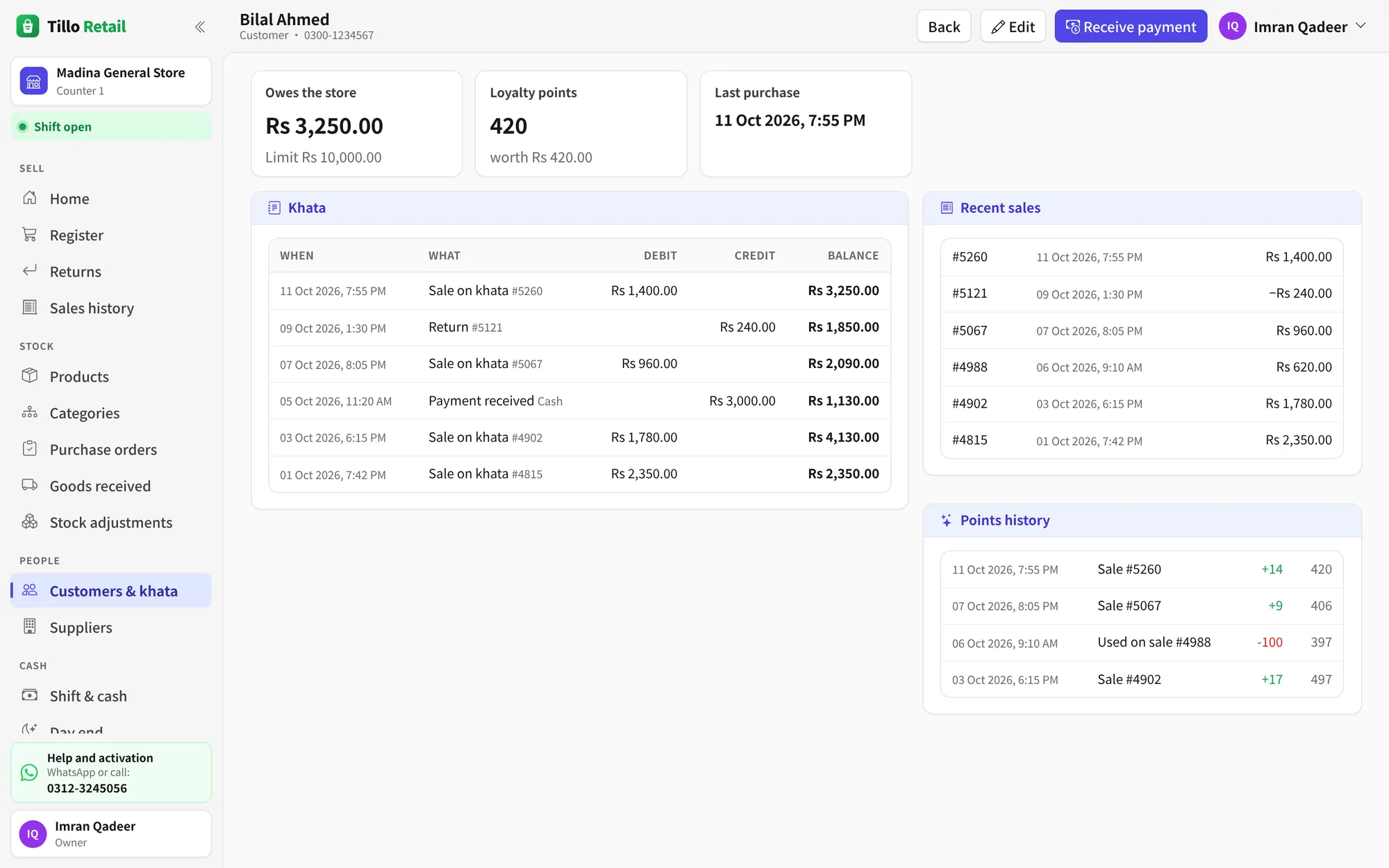
ہر اسکرین دیکھیں19 screens from Tillo Retail. Tap one to see it full size.
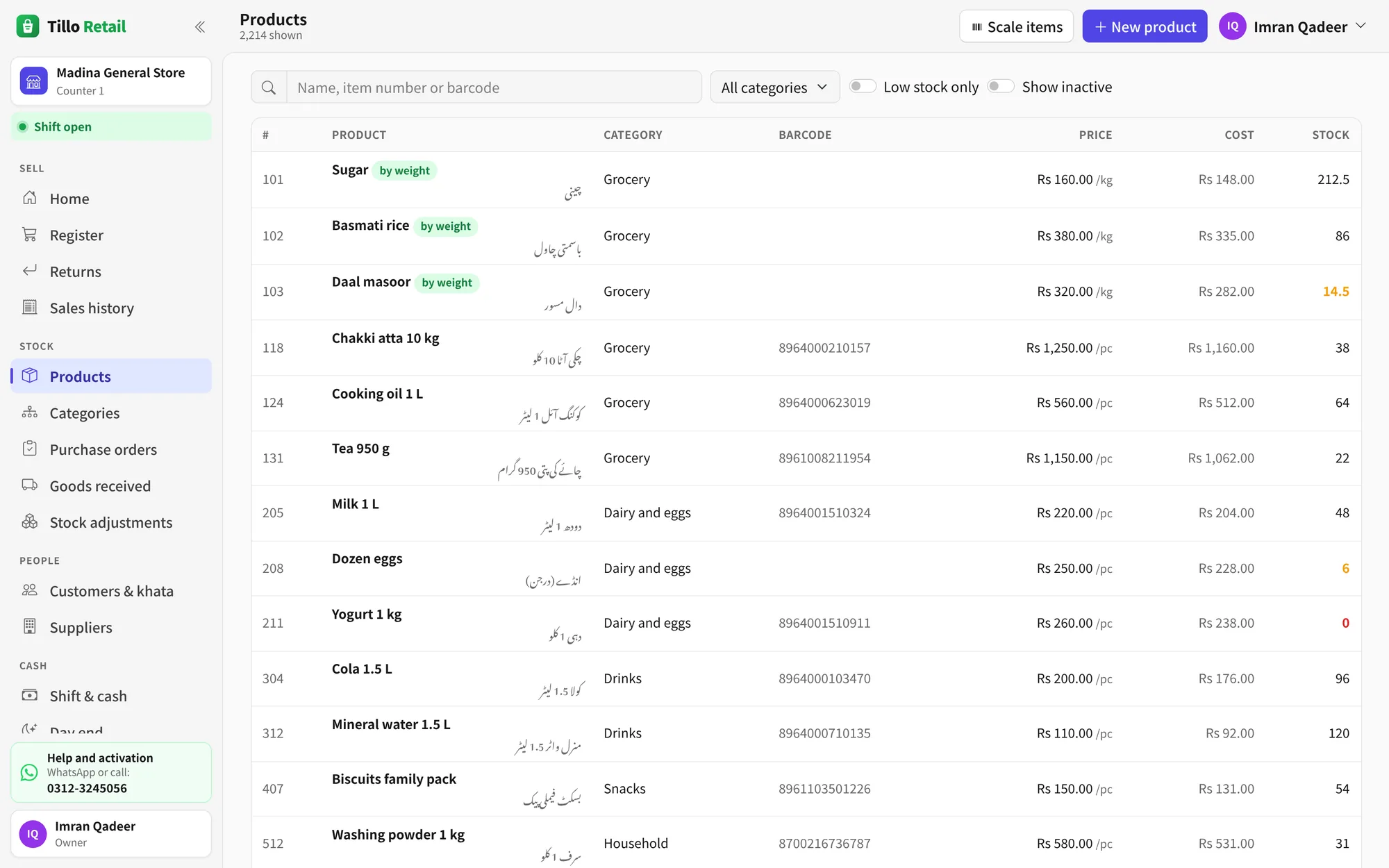
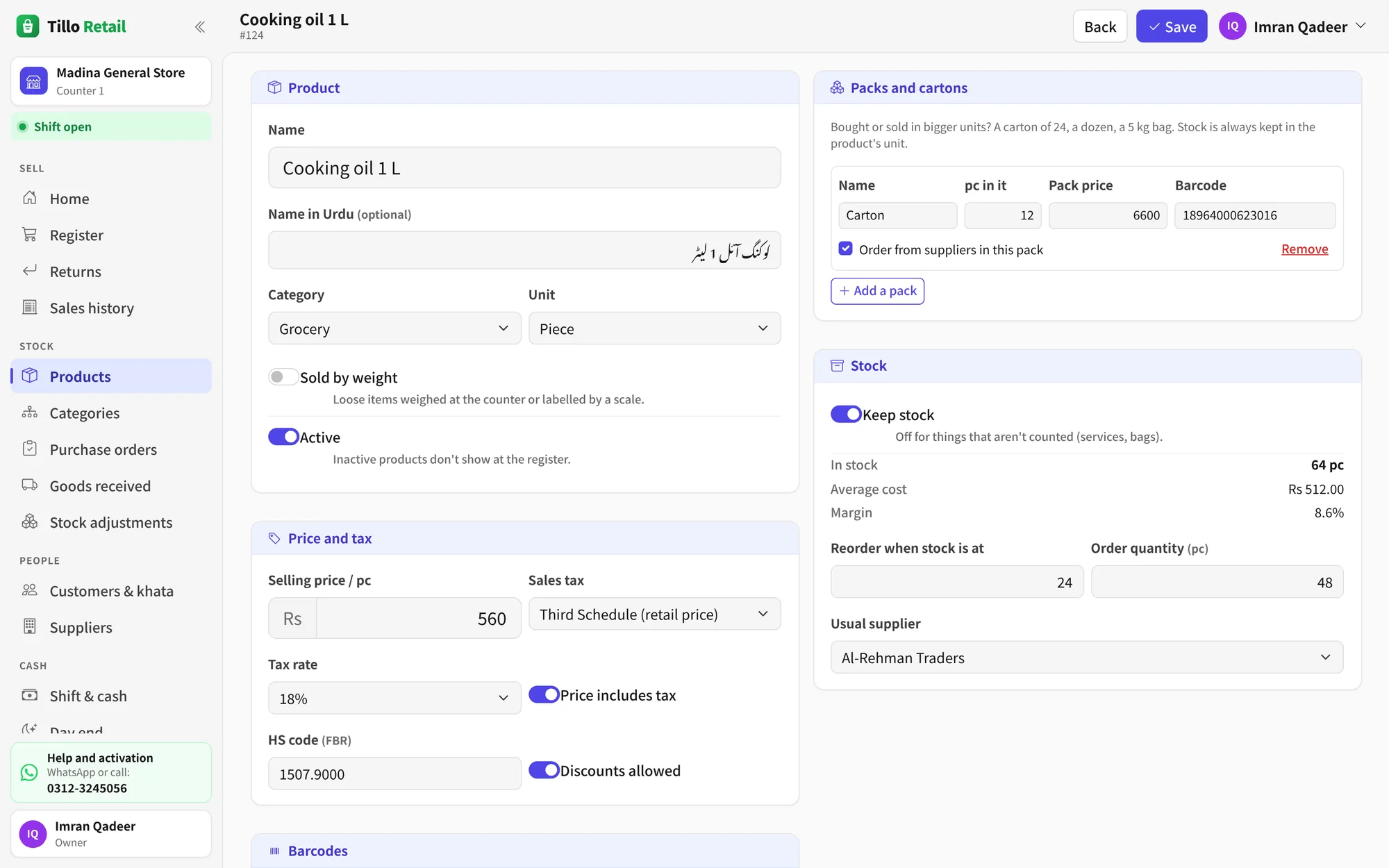
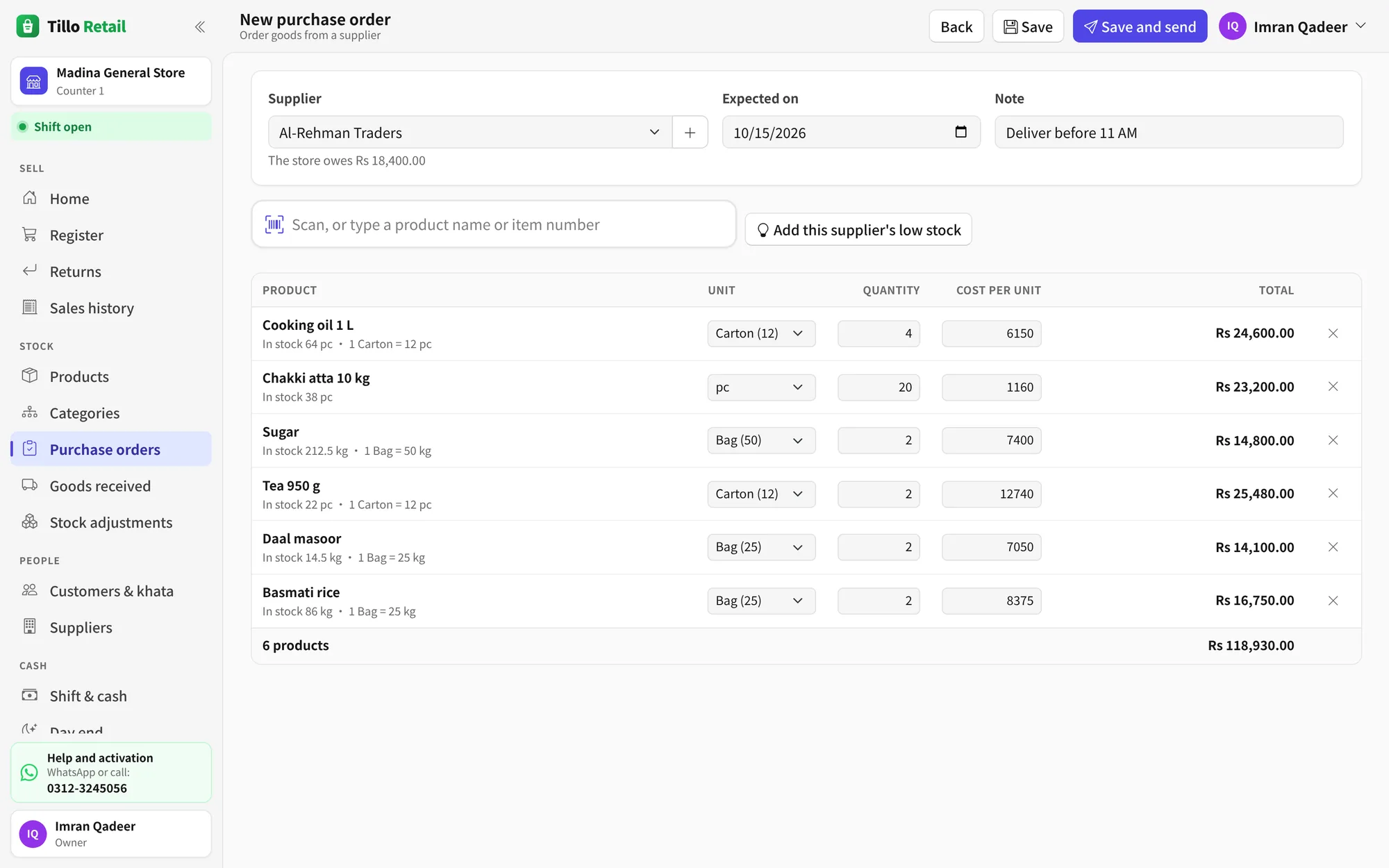
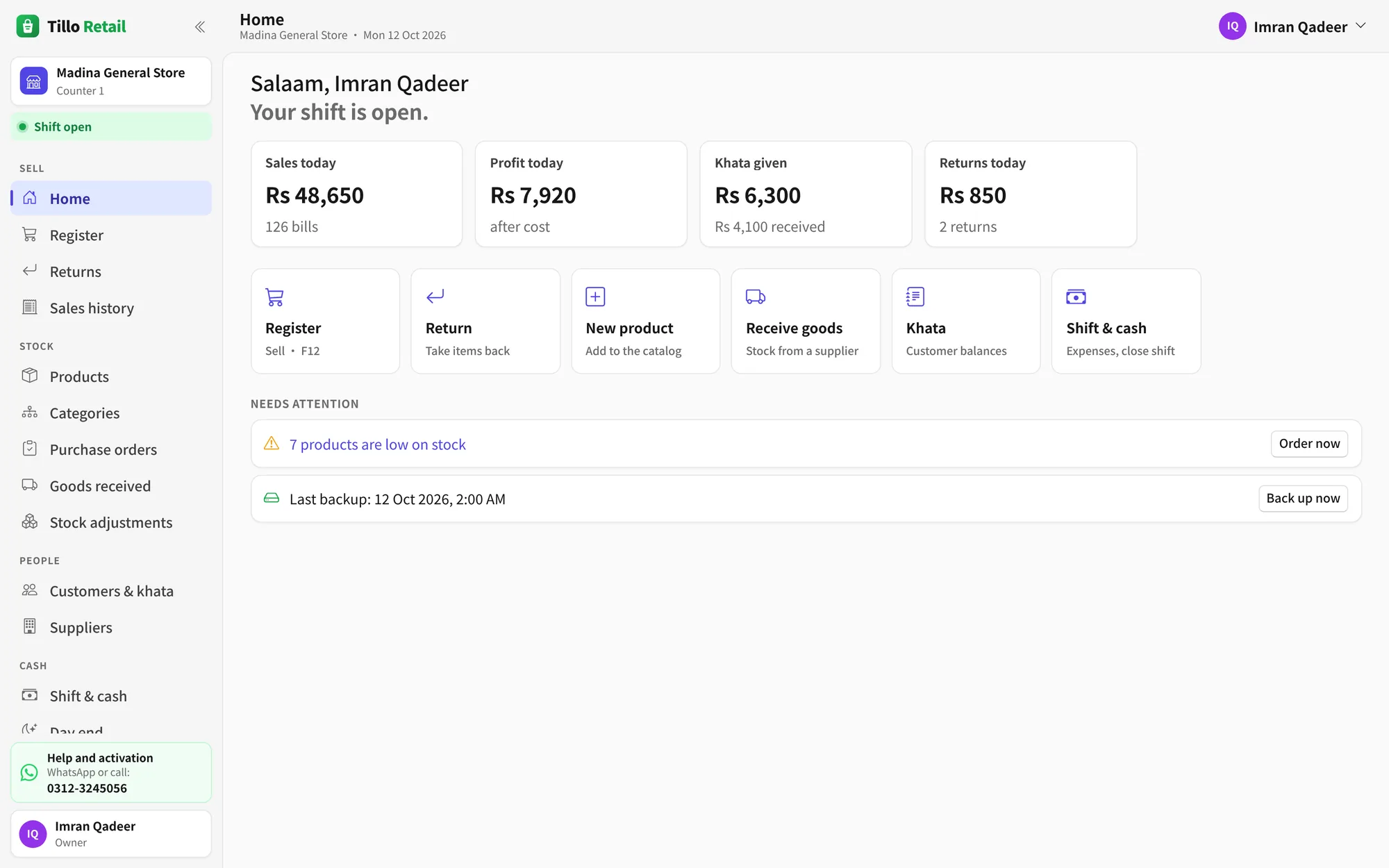
Everything in Tillo Retail
One program for the counter, the stockroom and the owner's evening check.
Selling
- Barcode scanners, search by name or item number, or touch tiles
- Sell by weight, from scale labels, or by amount
- Cartons and pieces of the same product
- Line and bill discounts, with manager approval
- Hold sales, returns and exchanges
- Cash, card, JazzCash, Easypaisa, bank transfer and khata
Khata and customers
- Customer khata with running balance
- Credit limits and payments at the counter
- Supplier balances and payments
- Loyalty points, earned and spent
Stock and buying
- 4,400 ready-made products to start with
- Purchase orders, including partial deliveries
- Goods received, with cost updates
- Stock counts, adjustments and low-stock alerts
Reports
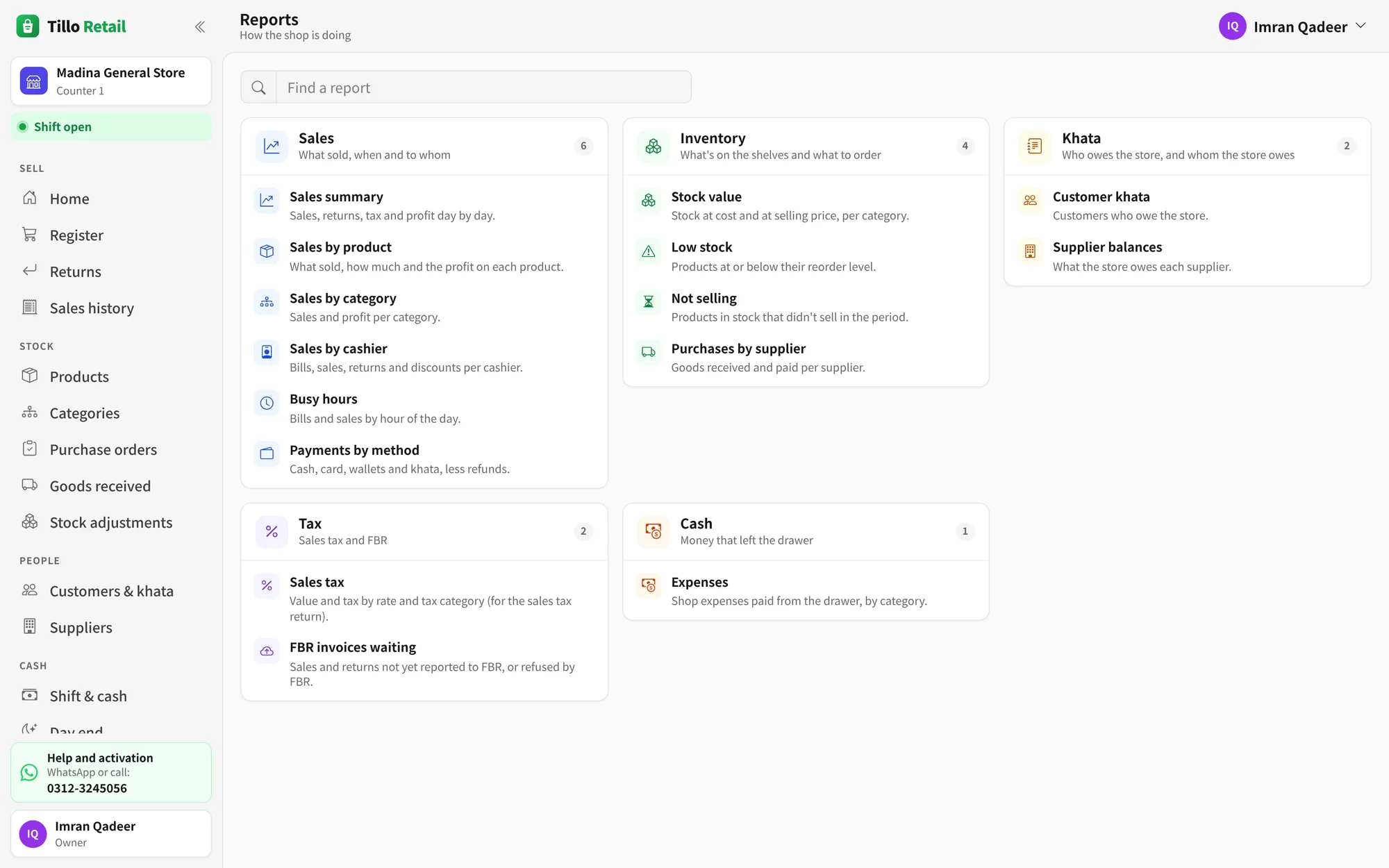
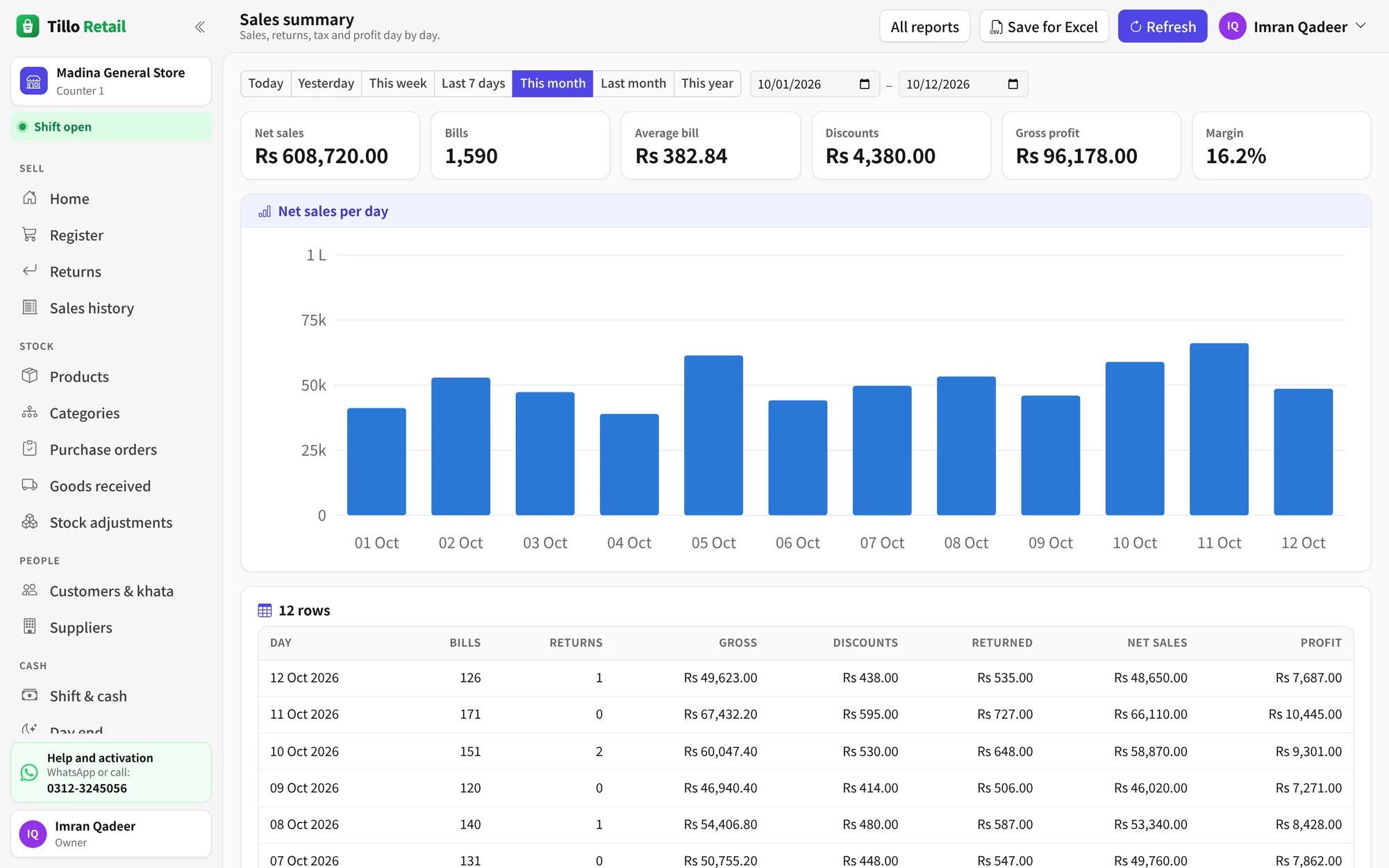
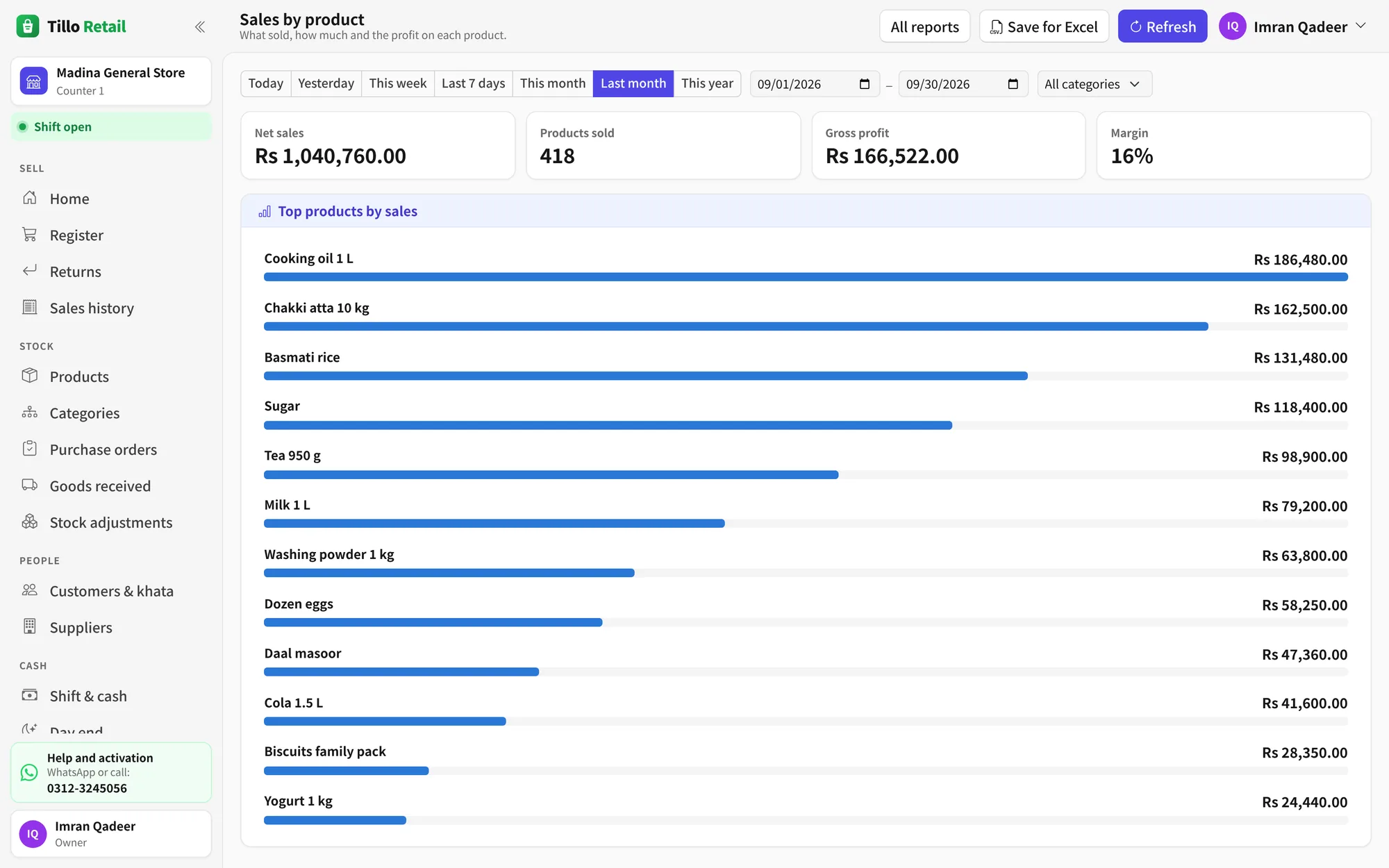
- Sales, profit and margin
- By product, category, cashier and hour
- Stock value, slow sellers and low stock
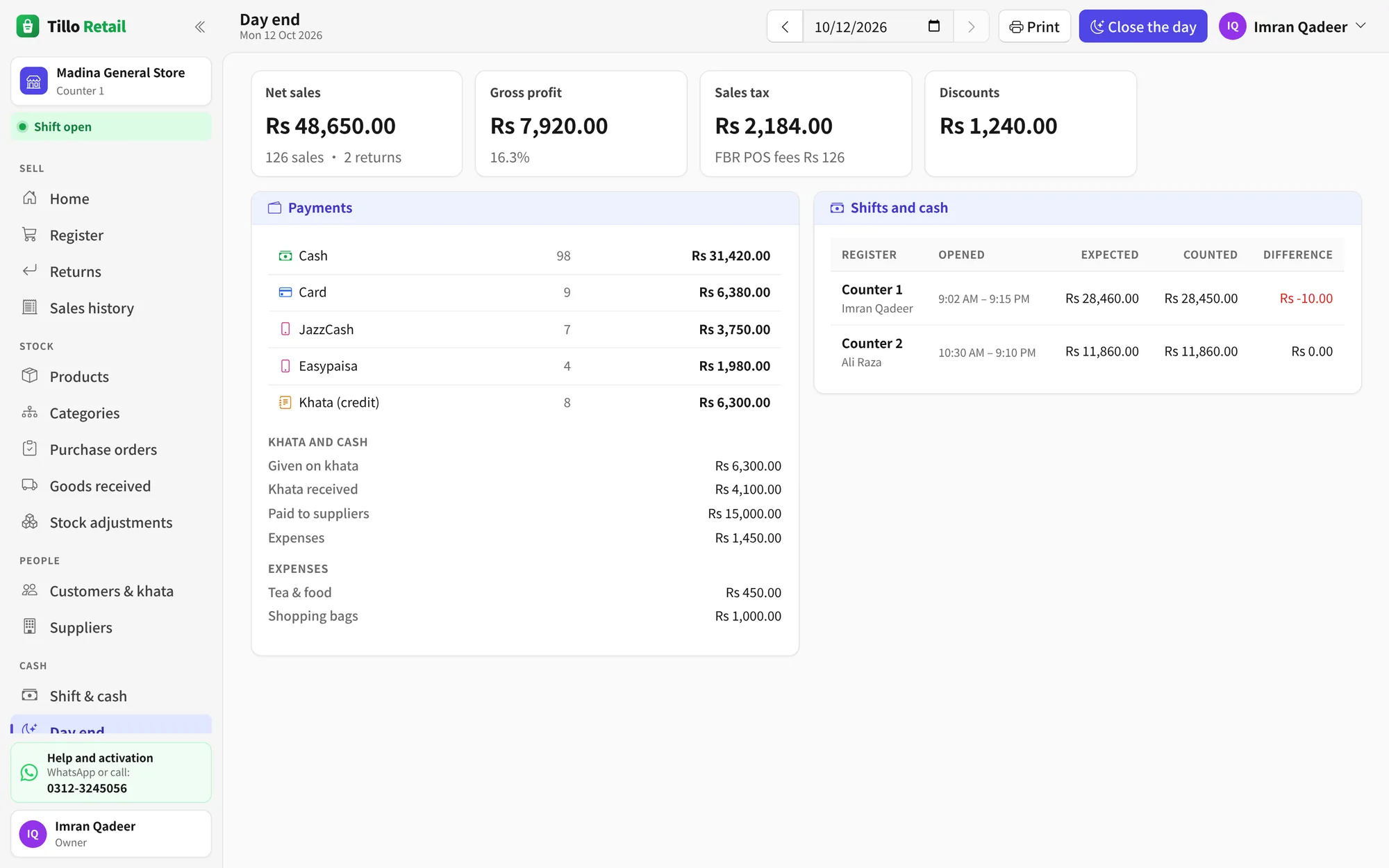
- Khata, expenses and payments by method
FBR and sales tax
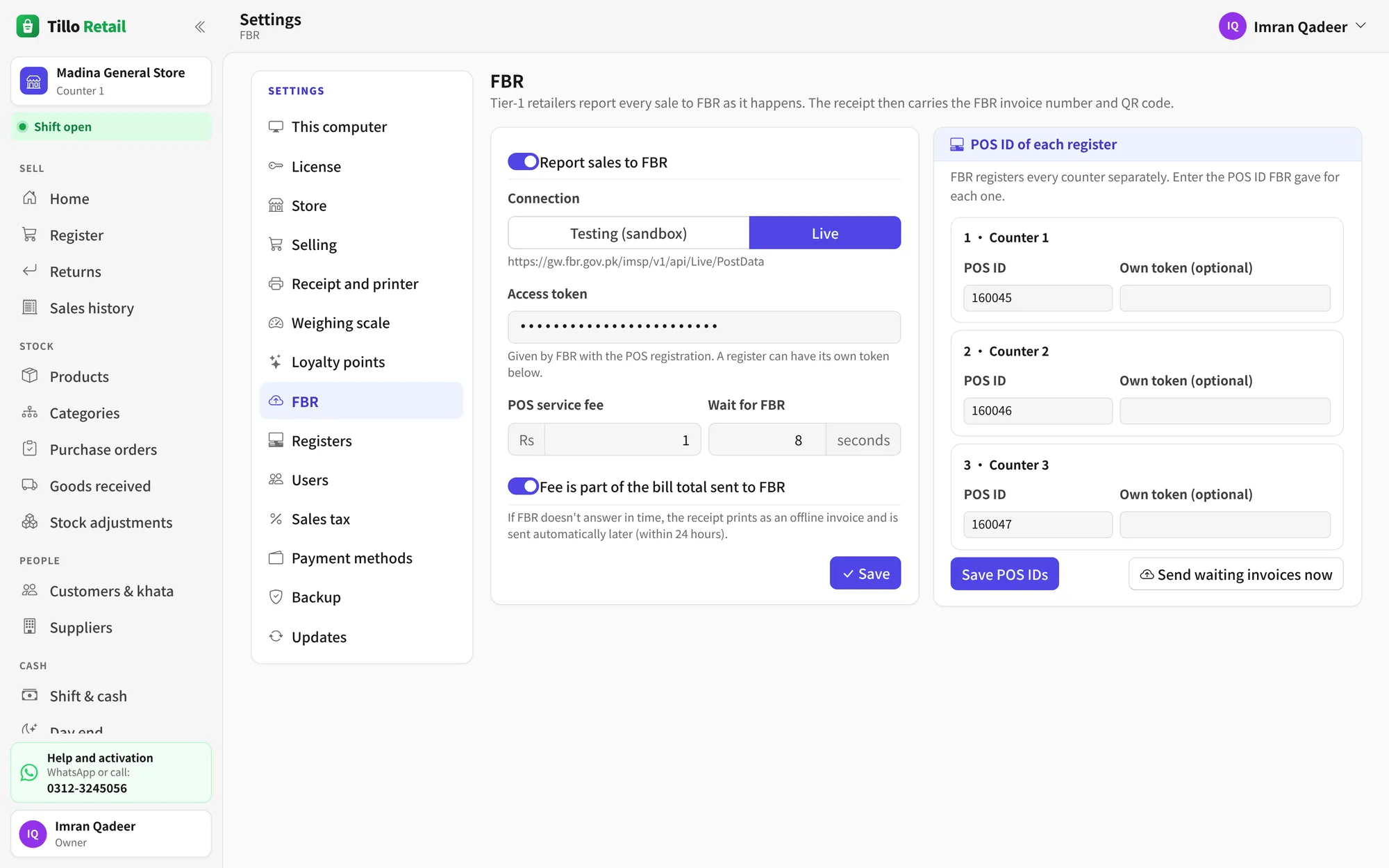
- Sales reported to FBR as they happen
- Offline invoices sent when the internet is back
- FBR invoice number and QR code on the receipt
- Sales tax report for your return
Running the shop
- Up to 10 counters on the shop's network
- Owner, manager and cashier logins with their own PIN
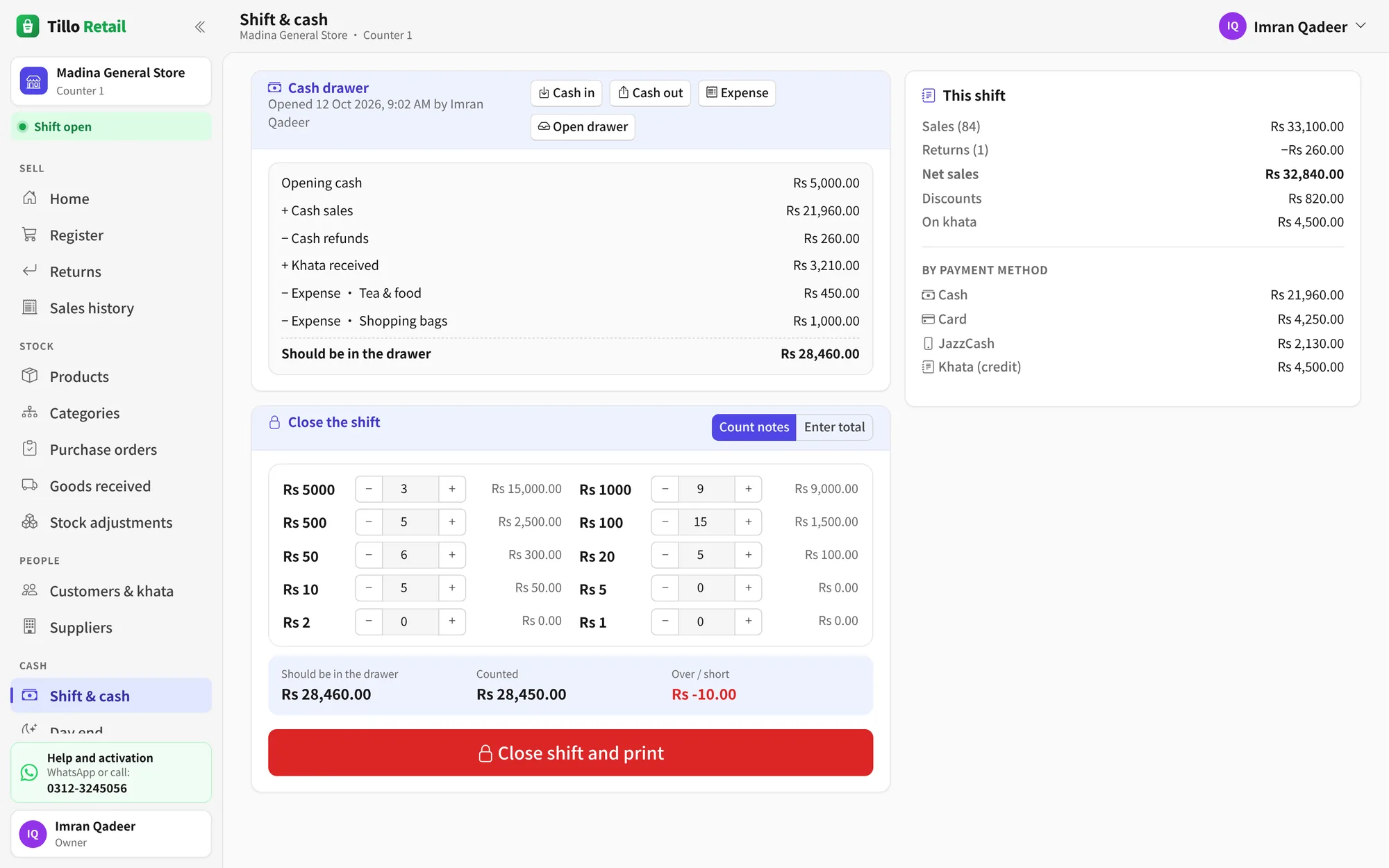
- Shifts, cash in the drawer and day end
- A backup every day, and a second copy on a USB drive
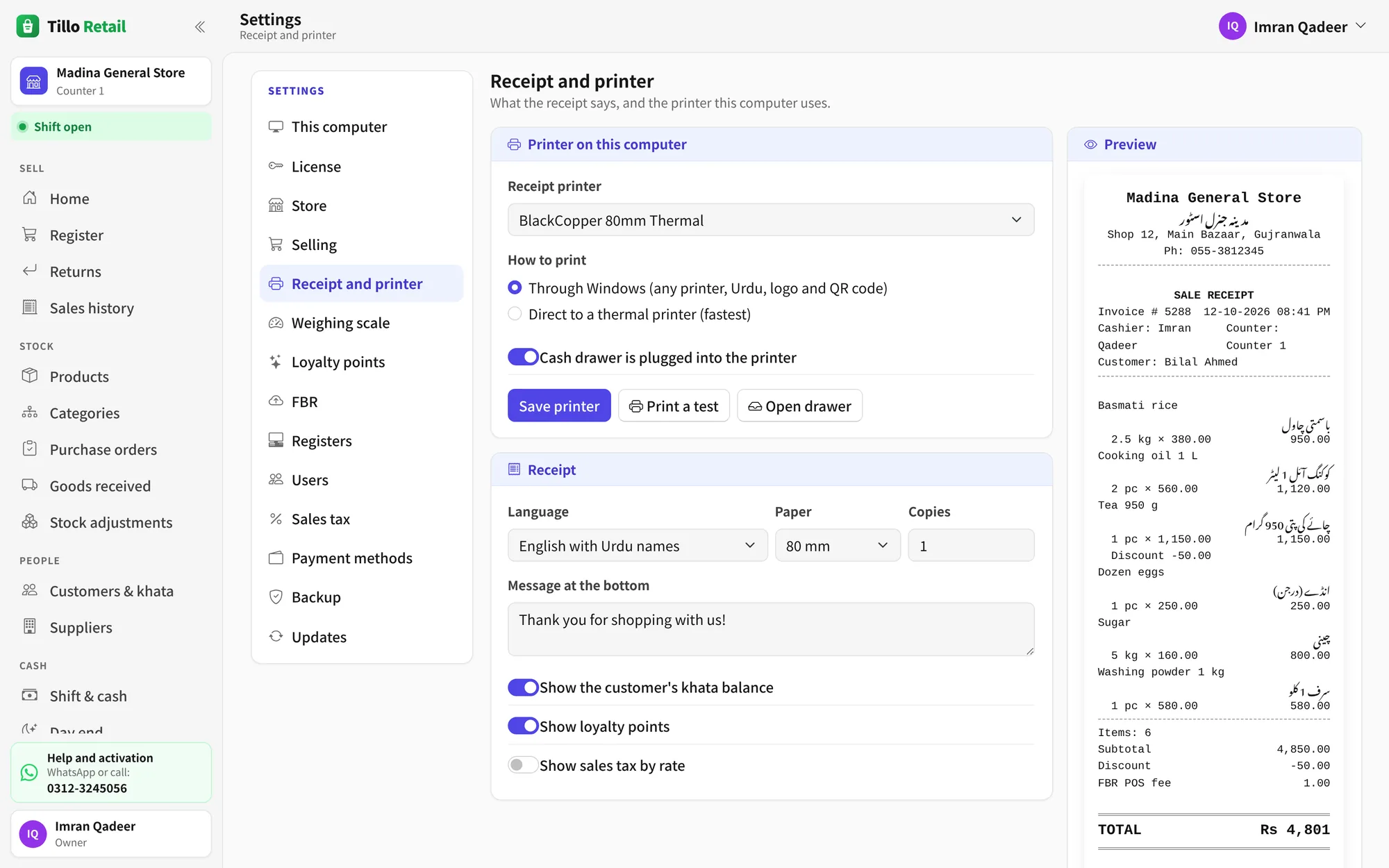
- Receipt printers (58 and 80 mm) and cash drawers
- Updates download by themselves
In more detail: for kiryana and grocery stores, FBR POS integration, khata.
Free for 3 months. Then pay once.
Rs 10,000 once, for the whole shopNo monthly fee and no renewals. The key goes on the main computer, and up to 9 more counters join it with no key of their own.
Install and use it
Every feature works for 3 months. The days left show at the top of the screen.
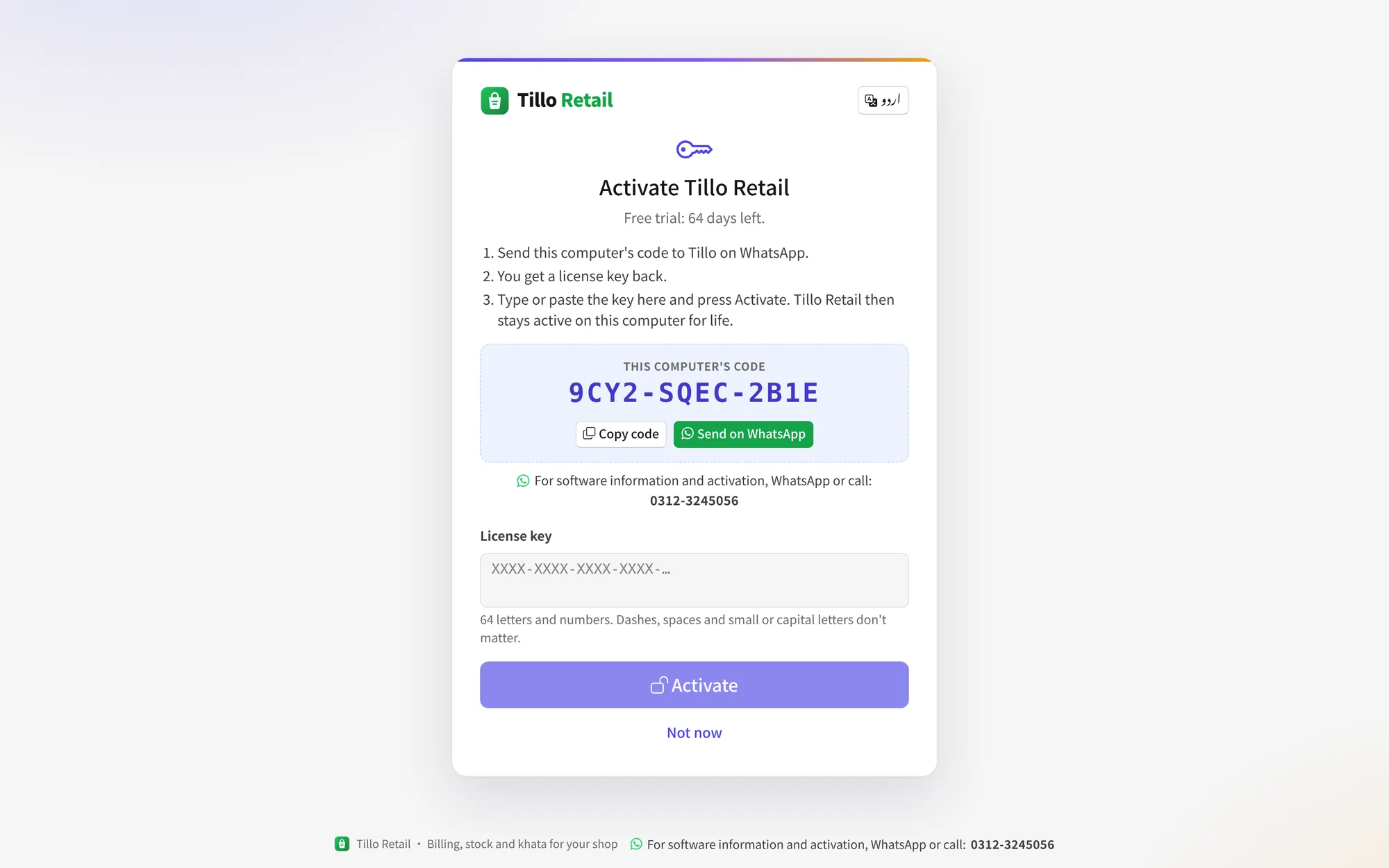
Send the main computer's code
On the main computer, open Settings › License and press “Send on WhatsApp”. The code is made for that computer alone.
Type in the license key
We send back a key. Once it's in, Tillo Retail stays active for life on the main computer and every counter joined to it.
What you need
- Windows 10 or 11
- 64-bit. One computer is enough to start.
- 4 GB of memory
- And 1 GB of free disk space.
- Printer and scanner
- Optional: any Windows receipt printer and USB barcode scanner.
- Internet
- Only to download, for FBR reporting and for updates.
Questions and answers
Does Tillo Retail need internet?
No. Everything is kept on the shop's own computer. Internet is only used to report sales to FBR (if you use it) and to download updates. Sales made offline are reported to FBR when the connection is back.
What happens when the 3 months are over?
Tillo Retail asks for a license key on the main computer before you can keep selling. Nothing is deleted: your products, sales and khata are all there when you activate.
How do I get a license key?
On the main computer (the one that keeps the shop's data), open Settings › License and press “Send on WhatsApp”. Its code comes to us at 0312-3245056, and we send back the key. Type or paste it in, and the shop is activated for life.
Can I use more than one counter?
Yes. Install Tillo Retail on each computer and join it to the main computer with a 6-digit code: the main computer and up to 9 more counters on the shop's network. The license key goes on the main computer only. The other counters work under it, with no key and nothing extra to pay.
Which printers, scanners and scales work?
Any receipt printer installed in Windows, including 58 mm and 80 mm thermal printers, and a cash drawer connected to the printer. Barcode scanners that type into the computer work as they are. Label-printing scales work when their barcodes carry the weight or the price.
Do I have to type in all my products?
No. A new store can start with about 4,400 ready-made products sold in Pakistani general stores: names, barcodes, prices and many pictures. Change prices and add your own whenever you like.
What if the computer breaks?
Tillo Retail backs up the whole database every day and keeps the backups for 30 days. It can also keep a second copy on a USB drive. On a new computer, install Tillo Retail and restore the backup from Settings › Backup.
How do updates work?
Tillo Retail checks for a new version by itself and downloads it. The owner sees a green bar and installs it with one click when the shop isn't busy.